Getting started with LeadSurface
This guide takes about five minutes. When you finish, you will have an account and a lead queue that starts filling with conversations worth your time.
1. Create your account
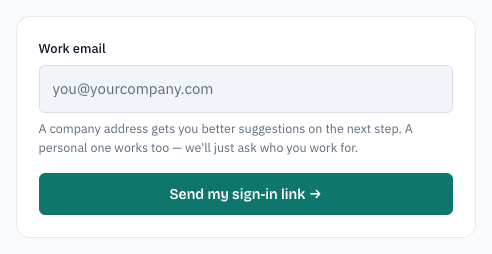
- Open the signup page.
- Type your work email.
- Click Send my sign-in link →.
2. Check your email
The next screen says Check your email. Open your inbox and click the link from leadsurface.com.
The link works once and expires in 30 minutes. If it has not arrived in a minute or two, check spam, then click Send it again on the signup page.
3. Review what to watch
The link opens a page titled Does this look like your market? LeadSurface drafts keywords and competitors from your email domain and your website.
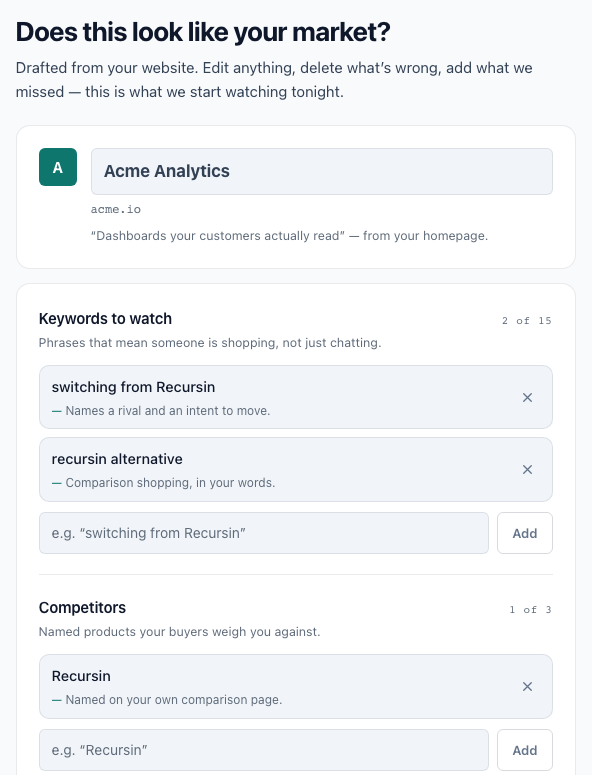
- Keywords are phrases that mean someone is shopping, not just chatting. Example:
recursin alternative. - Competitors are products your buyers weigh against yours.
Edit a suggestion by typing in its box. Remove one with the ✕ button. Add your own with the Add button. When it looks right, click Save and continue →.
4. Pick a plan
The next page is Pick a plan to start your trial. There are three plans: Solo, Team, and Scale. Team is pre-selected and marked Recommended.
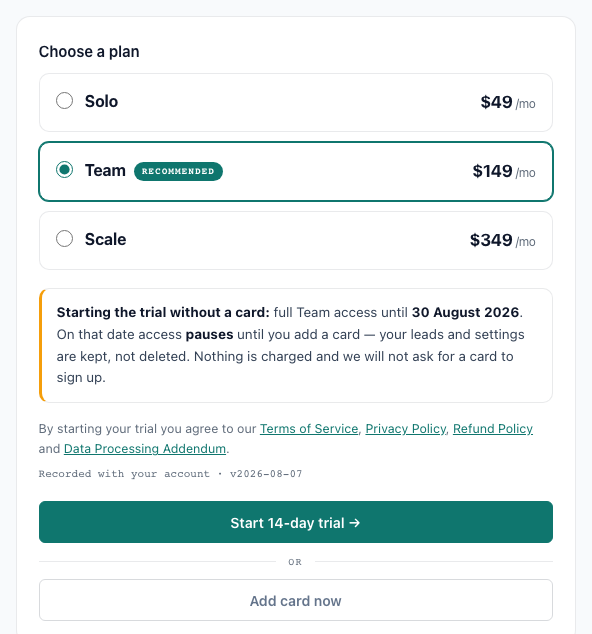
- Click Start 14-day trial → to begin with no card. Nothing is charged.
- Click Add card now to enter a card up front. Your card is not charged during the trial.
Either way, the trial lasts 14 days and you can cancel any time. You will then see Your trial has started. Click Take me to my feed → to open your Lead Queue — the screen where leads appear.
Saved what to watch in step 3? You are all set. If you skipped setup, your first sign-in opens Settings instead — the Settings guide shows you what to add there.
5. Sign in later
To come back, open the login page and sign in one of two ways:
- Password — type your email and password, then click Log in. (If you never set one, use the magic link instead.)
- Magic link — click Email me a sign-in link instead, type your email, and click the link that arrives. It works once and expires in 30 minutes.
Forgot your password? Click Forgot password?, type your email, and click Send reset link. The email contains a link to set a new one (8+ characters).