Settings: workspace, account, and billing
Click Settings in the top bar. The screen has three sections: Workspace, Account, and Billing. Each section saves on its own — scroll down to find the one you need.
Workspace — what we watch
The Workspace section is the heart of LeadSurface. It says what to watch and where.
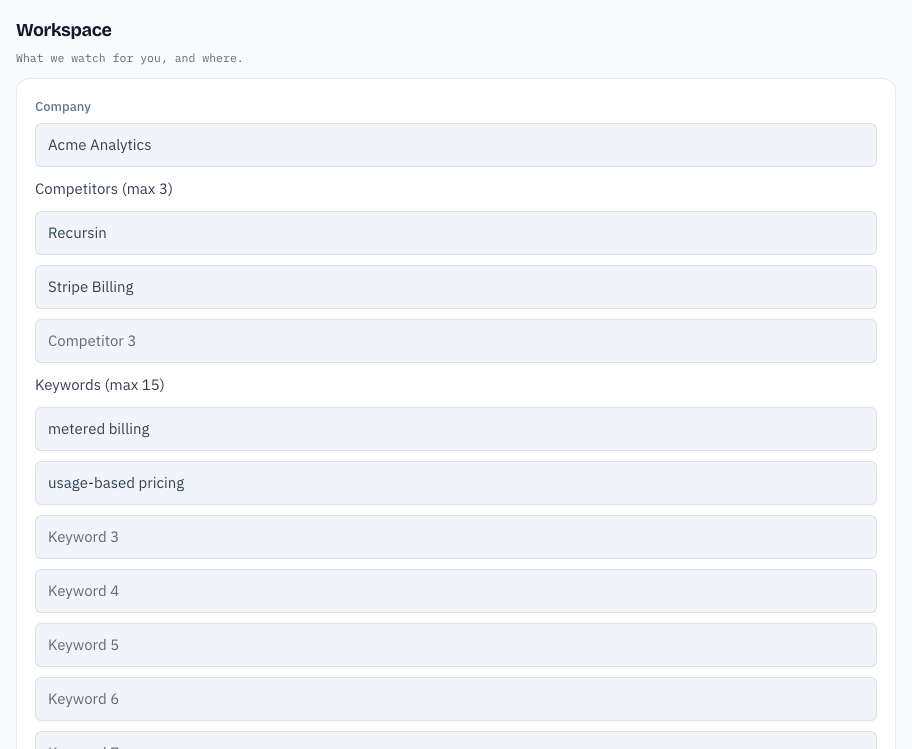
- Company — your company name. This is how LeadSurface refers to you.
- Competitors — products your buyers weigh against yours. The label shows your plan's limit, for example Competitors (max 3).
- Keywords — phrases that mean someone is shopping. Example:
pricing,recursin alternative. - Subreddits to scan (comma-separated) — Reddit communities to watch. Example:
SaaS, startups, devops. - Comment-scan subreddits (subset, max 5) — a smaller set of communities where we also read comments, not just top posts.
When you finish, click Save & refresh feed. LeadSurface saves, starts a scan, and takes you to your Lead Queue. Click Back to feed to leave without saving.
If a label says you are over your limit — for example 3 saved, 2 allowed on your plan — remove rows until you are within it, or the save will be rejected.
Account — how you sign in
The Account section manages your password.
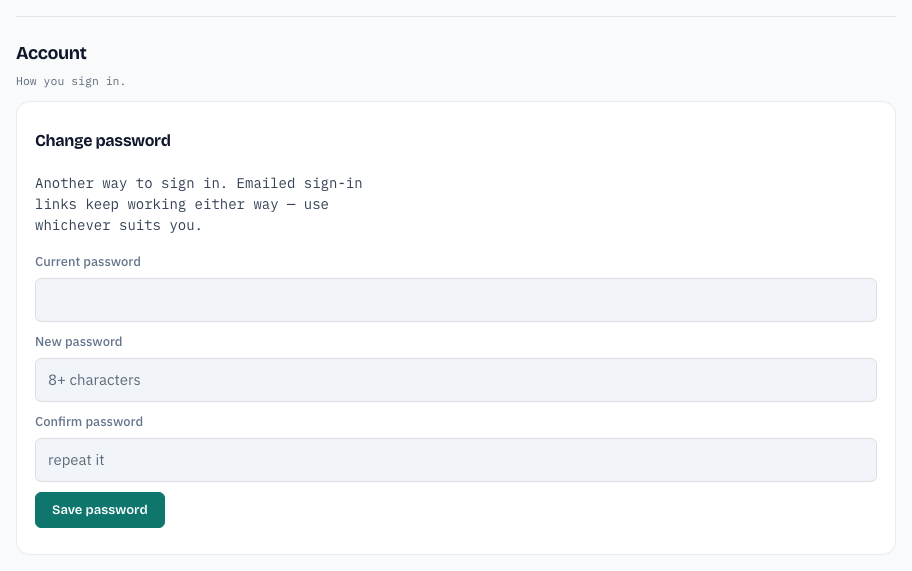
- No password yet (magic-link sign-in) — the heading reads Set a password. Type a new password (8+ characters) and click Save password.
- Password already set — the heading reads Change password. Type your Current password, a New password, and confirm it. Click Save password.
You will see Password saved. You can sign in with it from now on. Email sign-in links keep working either way — use whichever suits you.
Forgot your password? Use Forgot password? on the login page instead.
Billing — plan, trial, and card
The Billing section shows your plan and payment status.
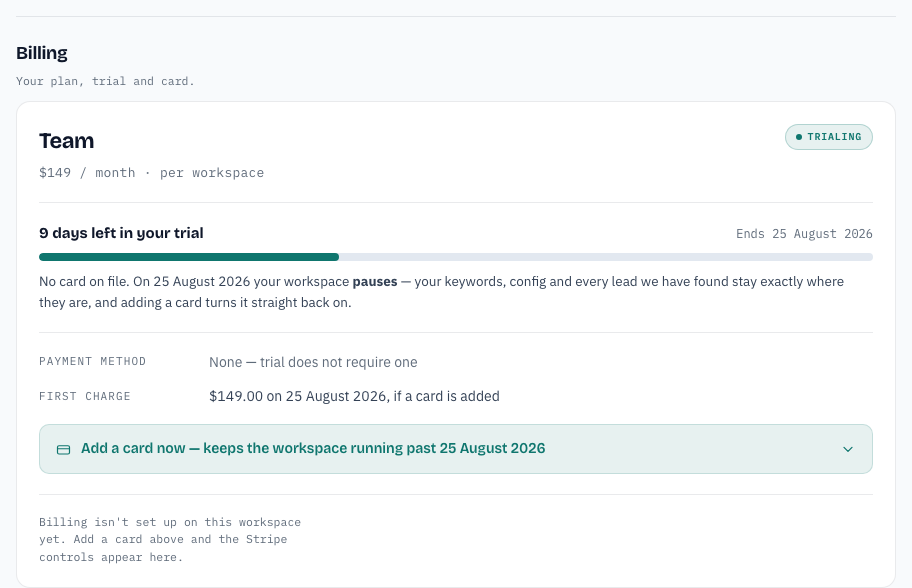
- Plan and price — for example Team · $149 / month.
- Trial — how many days are left, and when the trial ends.
- Payment method — None — trial does not require one until you add a card.
- Add a card now — enter a card to keep the workspace running after the trial. You are not charged until the trial ends, and only if you keep the plan.
With a card on file, this section also shows Manage your plan and card on Stripe — change your plan, replace the card, cancel, or download invoices there.
If your trial has ended, see Troubleshooting.