Troubleshooting and FAQ
If a step does not work, start with the guide for what you were doing: Getting started, the lead queue, or Settings. Then come back here.
I can't sign in
- Open the login page and click Email me a sign-in link instead.
- Enter your email and click the link that arrives. Each link works once and expires in 30 minutes.
- Link not arriving? Check spam — it comes from leadsurface.com — then request another.
If you have a password but forgot it, click Forgot password? and use the reset link from your email.
Invalid credentials means the email or password is wrong. A disabled account gets the same message on purpose, so do not take it personally — contact us and we will sort it out.
No leads yet
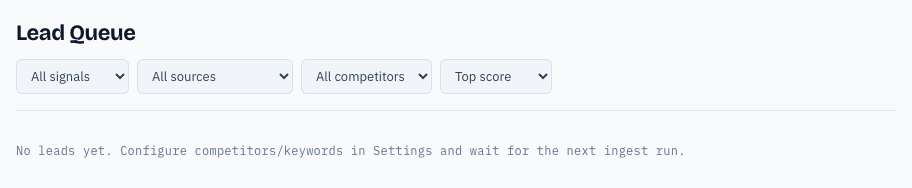
The No leads yet message means the scan has not found anything yet, or your watchlist is too narrow.
- Open Settings → Workspace.
- Check your Keywords and Competitors. Use phrases people actually type:
recursin alternativebeatsour product. - Click Save & refresh feed. Saving starts a scan right away; scans also run hourly.
Still empty after a few hours? Your keywords may be too specific, or the communities you watch may not talk about your topic. Contact us and we will check your workspace.
Trial ended, workspace locked
If your trial has ended, the app pauses and shows an Add a card and resume → button. Your leads and settings are kept. Add a card, and scanning resumes within the hour. See the billing section of Settings for what a card costs.
Scores and signals
- Score (0–100) — higher is a stronger buying signal. Leads rank highest first.
- Switching — someone is leaving a competitor. Strongest signal.
- Comparison — weighing options. Complaint — frustration. Praise — positive but low intent.
- Source badge — the community the post came from: Reddit, Hacker News, Stack Exchange, GitHub, GitHub Discussions, Discourse, Dev.to, Lobsters, or Product Hunt.
Still stuck?
Contact us with a screenshot and one line about what you were trying to do. We reply to every message.